Machine scheduling
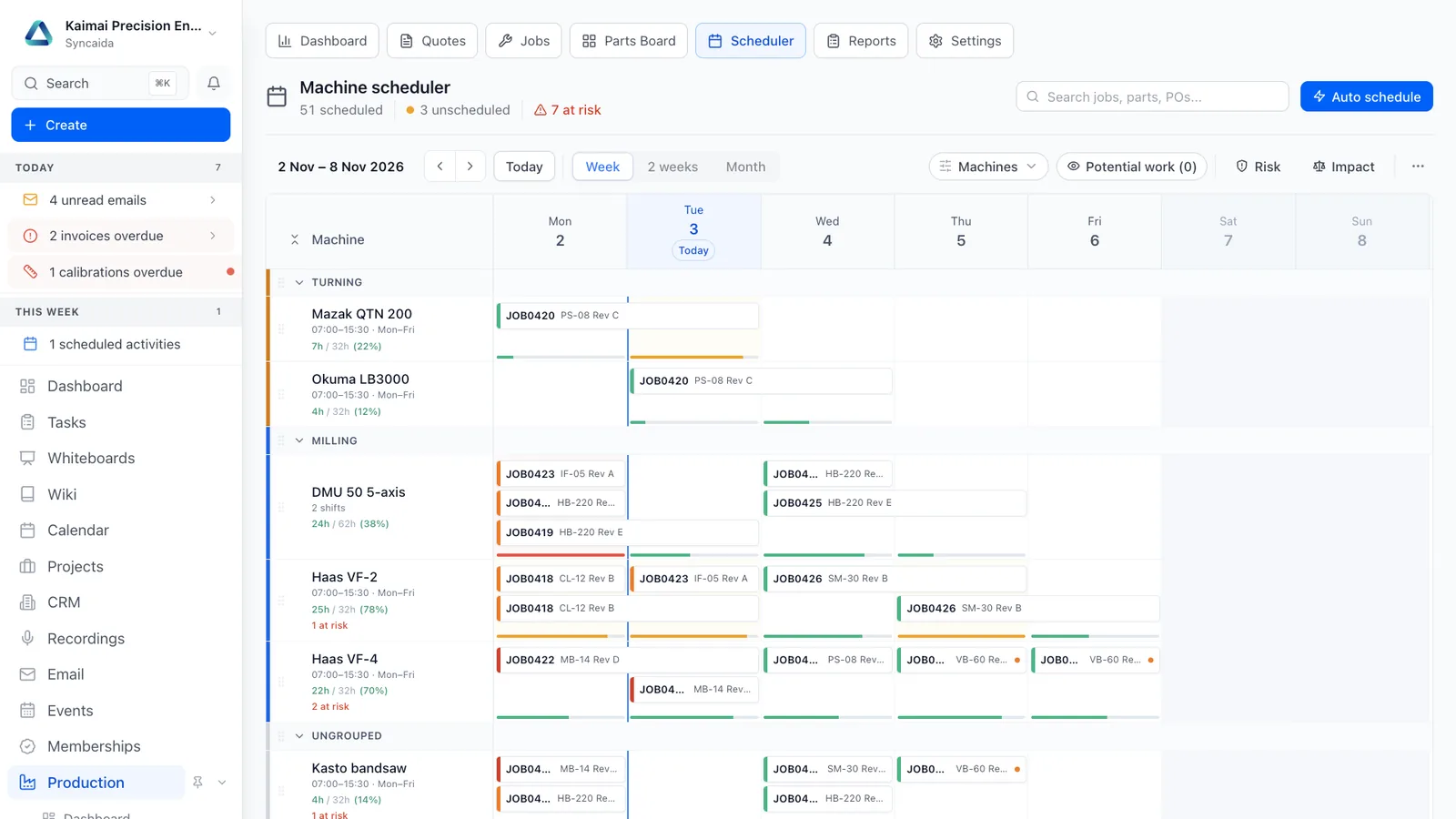
Plan manufacturing operations across machines with capacity, dates and dependencies visible in one scheduling workspace.
Features
Visual scheduling
Arrange work across machines with a drag-and-drop plan.
Capacity in view
Review dates, capacity and dependencies before committing.
Find work at risk
Use automatic scheduling and jeopardy views to support planning.
How it connects
Accepted work enters the machine plan. Changes on the floor feed the next scheduling decision.
See the whole platform Related capabilities
Questions
What can I do with Machine scheduling?
Plan manufacturing operations across machines with capacity, dates and dependencies visible in one scheduling workspace. Arrange work across machines with a drag-and-drop plan. Review dates, capacity and dependencies before committing. Use automatic scheduling and jeopardy views to support planning.
How does machine scheduling connect to the rest of Syncaida?
Accepted work enters the machine plan. Changes on the floor feed the next scheduling decision.
How do we get started?
We scope the machine scheduling workflow around your business, agree the enabled modules and permissions, and plan configuration, any data migration and onboarding. Your agreement and pricing define the capabilities included.
Book a demo
Tell us what you need to manage. We’ll show you the relevant parts of Syncaida.