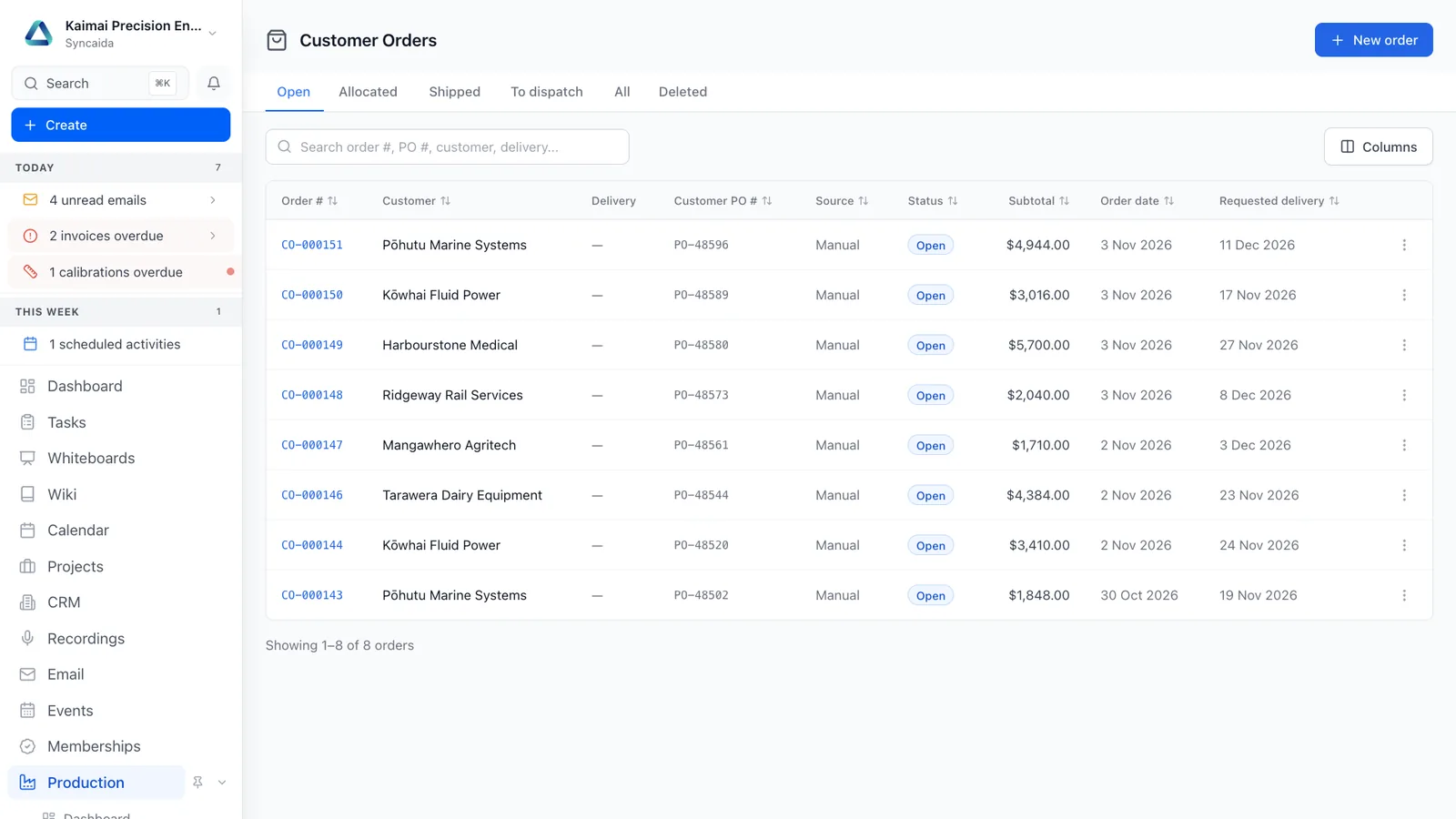
Customer orders
Manage finished-goods customer demand with stock allocation, dispatch and clear delivery and billing status.
Features
Allocate stock
Reserve and allocate available finished goods to customer demand.
Dispatch in stages
Handle partial shipments and follow fulfilment progress.
See both statuses
Track delivery and billing independently against the order.
How it connects
A customer order draws on inventory or production. Dispatch and invoicing remain connected to the original demand.
See the whole platform Related capabilities
Questions
What can I do with Customer orders?
Manage finished-goods customer demand with stock allocation, dispatch and clear delivery and billing status. Reserve and allocate available finished goods to customer demand. Handle partial shipments and follow fulfilment progress. Track delivery and billing independently against the order.
How does customer orders connect to the rest of Syncaida?
A customer order draws on inventory or production. Dispatch and invoicing remain connected to the original demand.
How do we get started?
We scope the customer orders workflow around your business, agree the enabled modules and permissions, and plan configuration, any data migration and onboarding. Your agreement and pricing define the capabilities included.
Book a demo
Tell us what you need to manage. We’ll show you the relevant parts of Syncaida.