Visitor analytics
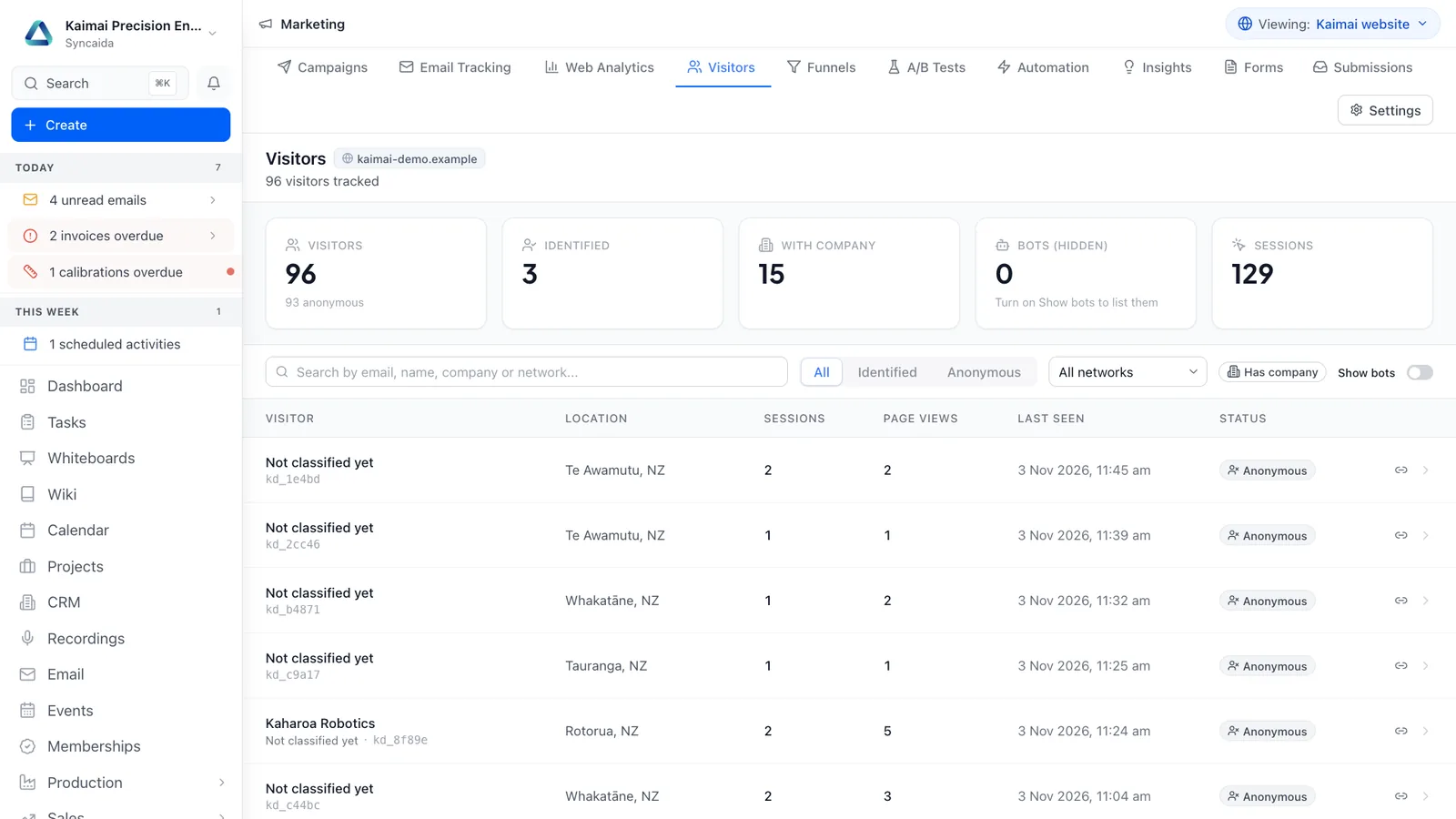
Review first-party website traffic, recordings, heatmaps, funnels and A/B tests inside the platform your commercial team already uses.
Features
Follow the traffic
Review page views, sessions, bounce rate, UTM sources and location.
Behaviour in context
Replay sessions and spot rage clicks, dead clicks and errors.
Find the friction
Use click and scroll heatmaps and per-step funnel conversion.
How it connects
The team follows a visit from landing page to enquiry. When the visitor submits a form or is linked to a contact, their visits join the CRM timeline.
See the whole platform Related capabilities
Questions
What can I do with Visitor analytics?
Review first-party website traffic, recordings, heatmaps, funnels and A/B tests inside the platform your commercial team already uses. Review page views, sessions, bounce rate, UTM sources and location. Replay sessions and spot rage clicks, dead clicks and errors. Use click and scroll heatmaps and per-step funnel conversion.
How does visitor analytics connect to the rest of Syncaida?
The team follows a visit from landing page to enquiry. When the visitor submits a form or is linked to a contact, their visits join the CRM timeline.
How do we get started?
We scope the visitor analytics workflow around your business, agree the enabled modules and permissions, and plan configuration, any data migration and onboarding. Your agreement and pricing define the capabilities included.
Is the analytics first-party?
Yes. Page views, sessions, recordings, heatmaps and funnels run on Syncaida's own tracking. Optional settings respect Do Not Track and anonymise IP addresses.
How do session recordings work?
Session recording is turned on in your tracking settings. It captures clicks, scrolling and page changes for replay, with typed input masked. Rage clicks, dead clicks and JavaScript errors are marked in the replay.
When does a visitor become a known contact?
A visitor is linked to a CRM contact when they submit a hosted form, click a tracked email, or are linked by your team. Their visits then appear on the contact timeline.
Book a demo
Tell us what you need to manage. We will show you the relevant parts of Syncaida.